  ...     ..      ..          ...     ..            ...
  x*8888x.:*8888: -"888:     .=*8888x <"?88h.      xH88"`~ .x8X
 X   48888X `8888H  8888    X>  '8888H> '8888    :8888   .f"8888Hf
X8x.  8888X  8888X  !888>  '88h. `8888   8888   :8888>  X8L  ^""`
X8888 X8888  88888   "*8%- '8888 '8888    "88>  X8888  X888h
'*888!X8888> X8888  xH8>    `888 '8888.xH888x.  88888  !88888.
  `?8 `8888  X888X X888>      X" :88*~  `*8888> 88888   %88888
  -^  '888"  X888  8888>    ~"   !"`      "888> 88888 '> `8888>
   dx '88~x. !88~  8888>     .H8888h.      ?88  `8888L %  ?888   !
 .8888Xf.888x:!    X888X.:  :"^"88888h.    '!    `8888  `-*""   /
:""888":~"888"     `888*"   ^    "88888hx.+"       "888.      :"
    "~'    "~        ""            ^"**""            `""***~"`
I Vibe Coded a Color Grading Tool for Descript
This is the app:
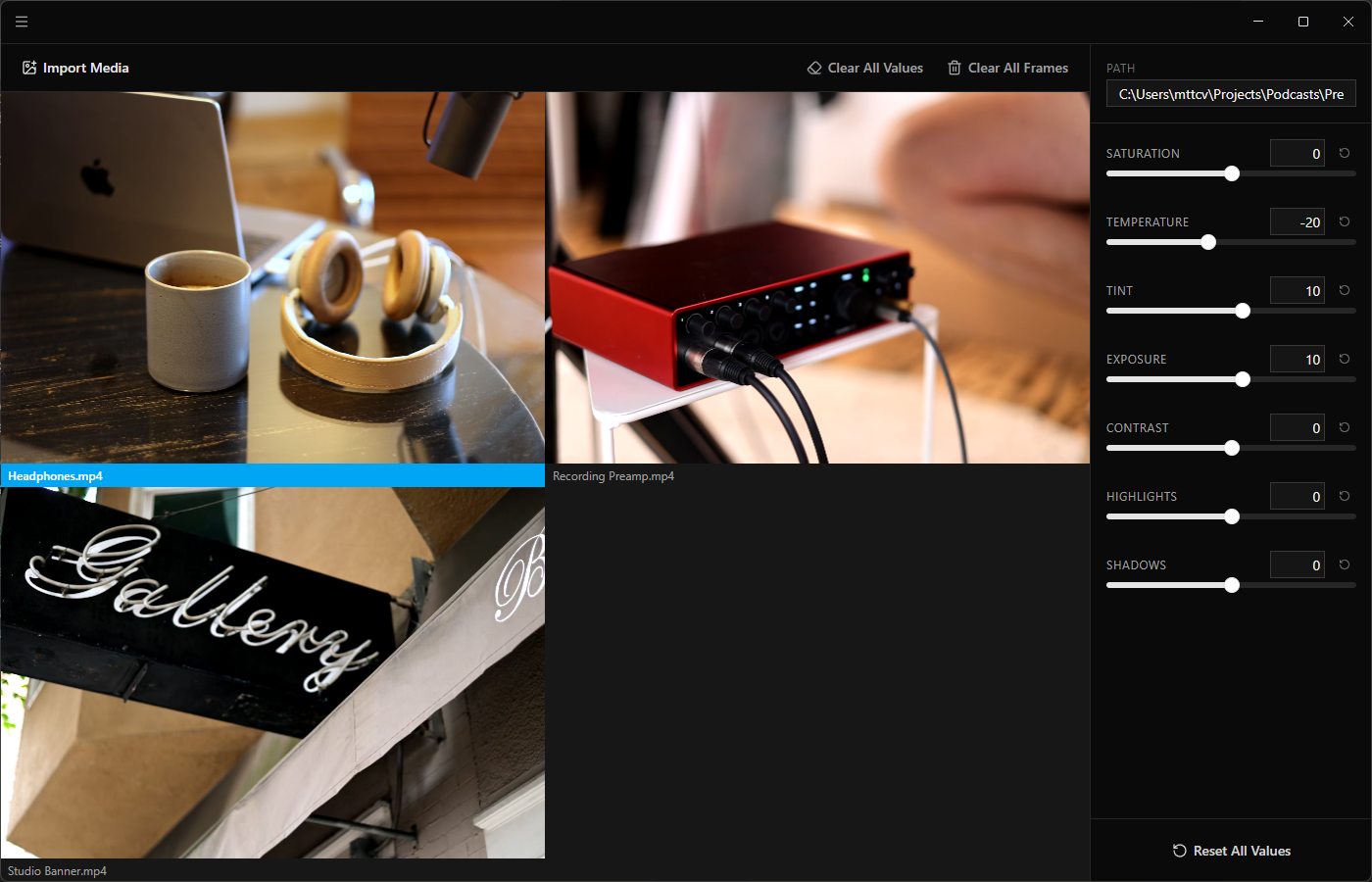
I edit video podcasts. Getting consistent color grading across multiple video sources is a real problem in Descript. There's no side-by-side comparison, no way to hold a reference grade while adjusting another shot. You're flipping back and forth between clips trying to eyeball consistency, and that's only within a single project. Keeping a consistent look across projects is basically impossible. So I built a companion app: load all your frames into a grid, color grade them side by side, then transfer the slider values back into Descript.
The catch is that the preview has to match Descript's output exactly. If the colors don't line up, the whole tool is pointless.
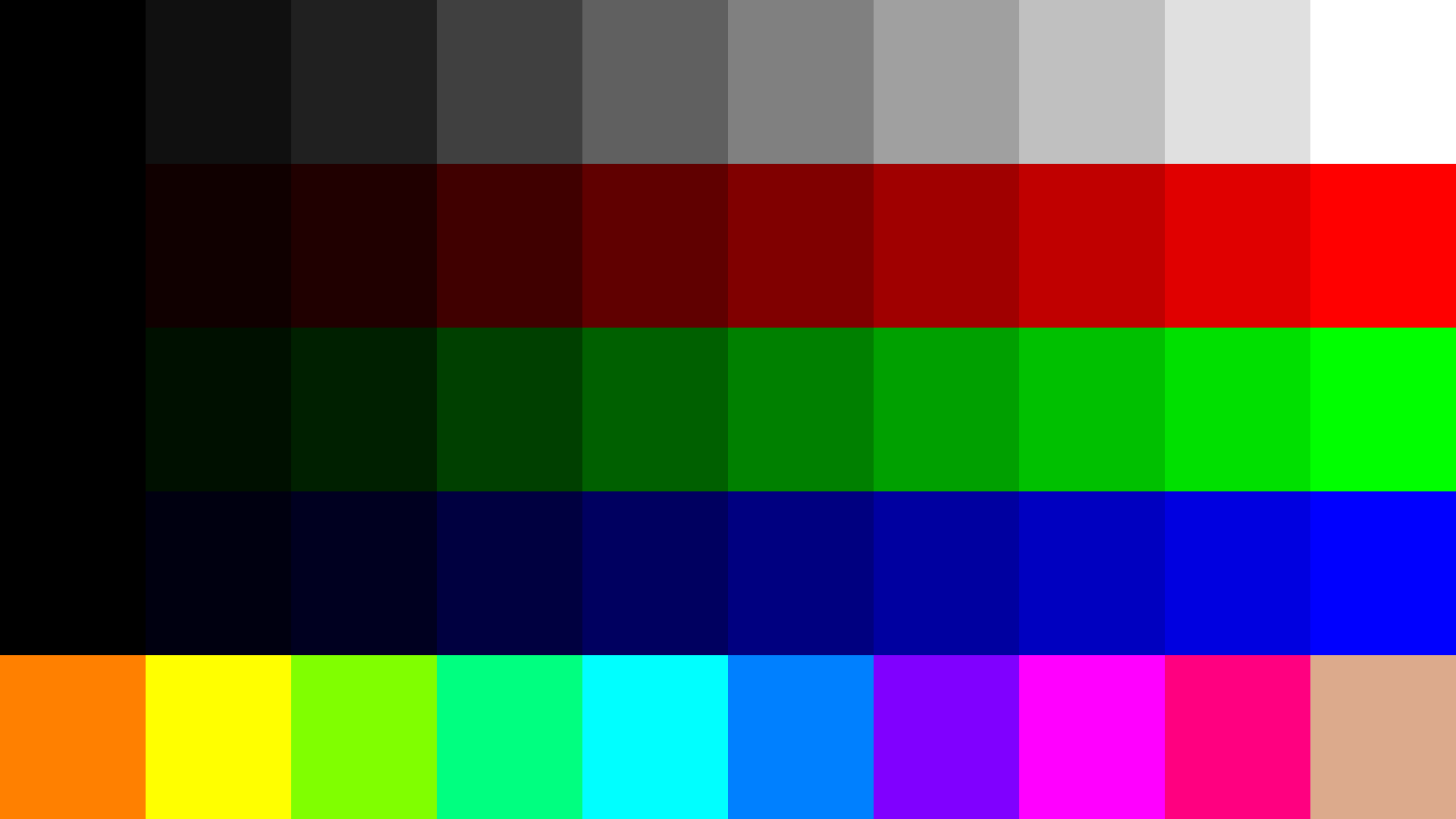
The naive approach was calibration. Export frames from Descript at known slider values, compare the output pixel-by-pixel against my own rendering, and reverse-engineer the math behind each slider. I built a grid of test patches — grays, skin tones, saturated primaries — and started extracting golden data. This got close, but I kept ending up with bespoke overfitted formulas that would break at extreme values or on different source material.
Then it clicked: Descript is an Electron app. The source code should be right there on disk. So I opened the install directory expecting to find bundled JavaScript. Instead, all I found were files for the main process and preload script. The renderer — the entire UI, including all the rendering logic — was missing.
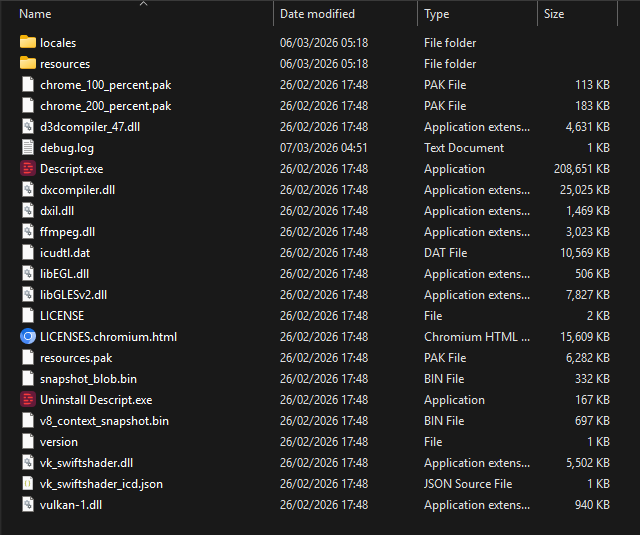
Turns out Descript doesn't bundle its renderer at all. It streams the UI code from web.descript.com at launch, like a web app wearing a desktop costume. The renderer is a webpack chunk fetched on the fly and cached in Chromium's opaque Cache_Data directory. This is unusual. Most Electron apps ship their renderer code in an asar archive or as local files. Descript treats the renderer as a hosted web application that happens to run inside an Electron shell, presumably as a form of proprietary code protection.
But a cache is still a cache. The streamed JavaScript lands in %LocalAppData%\Descript\Partitions\descript2\Cache\Cache_Data\ as raw files. A few targeted searches through those files turned up the GLSL fragment shader and the JavaScript that builds its uniforms.
The shader itself is a fairly standard color pipeline. Exposure, contrast, saturation, temperature, and tint each produce a 4x4 color matrix that gets composed into a single transform. Highlights and shadows work differently, using a luminance-based power curve in the fragment shader. There are some quirks — the luminance calculation uses vec3(0.3, 0.3, 0.3) instead of the standard BT.709 coefficients, and temperature has two implementations (a linear mode and a legacy Kelvin-to-RGB curve). It's a workable approach that doesn't quite meet broadcast standards but gets the job done.
One frustrating detour: the same slider values produced slightly different results for images versus video. Turns out the issue was color space decoding. When extracting video frames with ffmpeg, SD-resolution MP4s default to BT.601 decoding, but Descript renders in BT.709. Without explicitly specifying the color matrix, the extracted reference frames had phantom per-channel deviations that sent me down a rabbit hole of compensating formulas. Once I forced BT.709 decoding, the simple shader models matched within a few pixels of quantization noise.
The final app runs Descript's actual shader in a WebGL context, so the preview is pixel-identical. Load your footage, adjust seven sliders, enter the same values in Descript, get the same result.
Published as descript-color-grade.
Contact me at..

☕ [s5t0js8n@anonaddy.me] ☕