Pictel is a React framework for image editing as code. Compositions that would live in a Photoshop document are written as component trees and rendered by the browser.
The browser already carries most of what an image editor needs: HTML and CSS for layout, typography, and vectors, canvas for raw pixel access, WebGPU for running ML models on the client. Pictel builds the compositing pipeline on top. It captures rendered markup as pixel data, runs real per-pixel math over it, and paints the result back into the page. Anything the web can render, an effect can process.
- pictel: the framework, capture, compositing, and preview
- @pictel/effects: the standard library, blends, filters, and generative sources
- @pictel/ml: in-browser model inference, cutouts, depth, and upscaling
- @pictel/cli: headless rendering of finished images
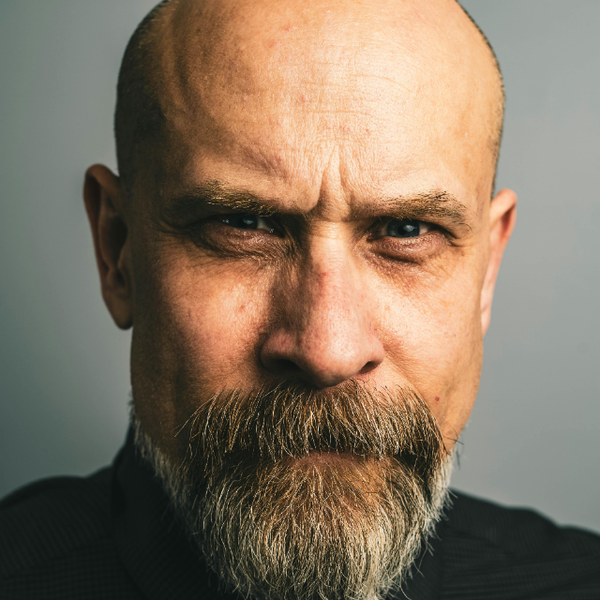
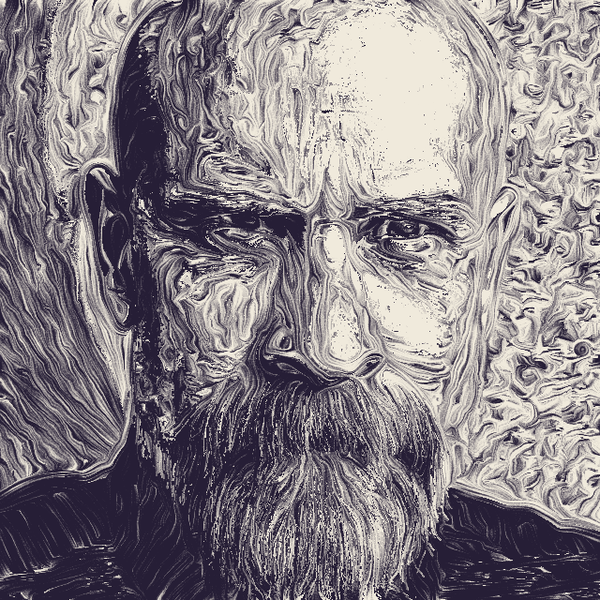
const INK: [number, number, number] = [38, 30, 54];
const PAPER: [number, number, number] = [240, 234, 220];

<Duotone
	dark={INK}
	light={PAPER}
>
	<Hatch
		bands={4}
		spacing={[5, 8, 12, 16]}
		length={24}
		uniformStep
		map={
			<Direction mode="structure">
				<Image
					src={headshot}
					width={640}
					height={640}
					fit="cover"
				/>
			</Direction>
		}
	>
		<Image
			src={headshot}
			width={640}
			height={640}
			fit="cover"
		/>
	</Hatch>
</Duotone>;
A driving motivation for the library was agentic image editing workflows. An agent edits an image the same way it edits any other code: it writes the composition and checks the preview. The rest of the advantages come with the medium. A composition is a function of its props, so one template and a data file scale to a hundred variants. And the core interfaces are abstract, children in and pixels out, so any custom editing process becomes a composable, reusable component alongside the built-ins.
The layer model took the longest to get right. Photoshop's document is a stack of layers, and the web's natural home for a stack is stacking order: elements paint bottom to top, z-index rearranges them, and CSS even ships mix-blend-mode. The first version of pictel took the analogy at face value. An effect was an element sitting on top of the stack, applying to whatever painted behind it, the way an adjustment layer applies to everything beneath it.
That held right up until I needed the pixels. The library exists to run real math over an image, and a CSS blend runs deep inside the browser engine, out of reach of any script. If pictel wanted the pixels, it had to answer "what is behind this element" by itself. So it kept a live snapshot of the whole canvas's paint order. It hid everything in front of a target for the length of each capture. It cut mask holes in the layer beneath, so that layer wouldn't paint twice, once through the blend result and once on its own. It watched all of this with mutation observers, which caught pictel's own DOM writes and re-fired in circles while StrictMode's double-mount raced the visibility restores. Every piece of that machinery was correct. The question it answered was wrong.
The right question was already in the markup. HTML has a first-class way to relate two elements, one contains the other, and I had been building Photoshop's structure against the grain of a medium that came with its own. "B on top of A" became B wrapping A.
Nesting cleared the board. What an effect applies to is its children, already in its hands, and capture becomes one call: render my subtree to pixels. The paint-order snapshot, the hiding, the masks, and the watchers all went out with it.
The mistake was porting Photoshop's layers by their shape, a stack, when the thing worth porting was their meaning, one image applied to another.
The library lives at visionsofparadise/pictel, and the demos folder collects everything I've made with it so far: banknote engravings, cel shades, holographic foils, LUT grades, each one a small composition like the one above. I hope you enjoy it, and if you have ideas for it, let me know.